


DRiot Dev Log

Dev Log Chapter

Starting Point

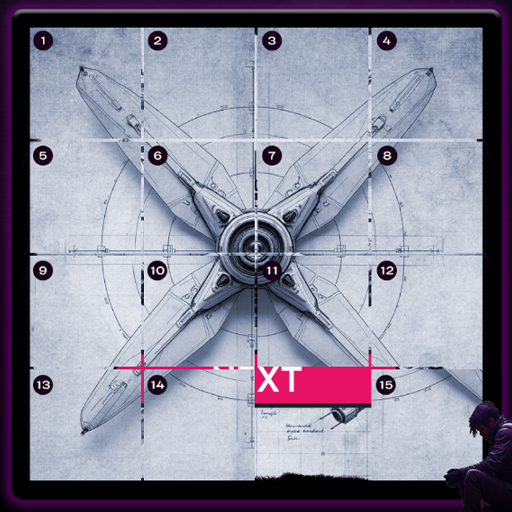
Initial idea exploration for the first Unity project began. Pushing aside "dream game" concepts, a simple 2D puzzle direction was chosen instead. The theme crystallized almost immediately: a tech setting with robots, lasers, and resistance. The core mechanics were inspired by the classic 15-puzzle board game.

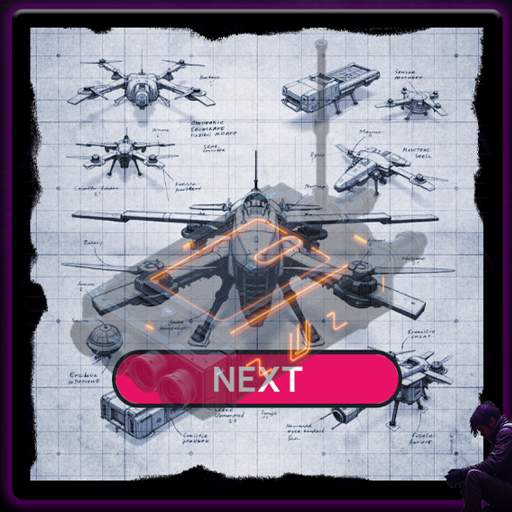
The gameplay concept took shape around assembling drones from schematics. On the game board, players reconstruct scrambled component blueprint fragments. To build a single combat drone, a full set of 6 distinct parts must be assembled, after which the drone automatically deals damage to the enemy Megacorporation.

With the core idea locked in, the process of drafting initial sketches and visual assets in Photoshop and Illustrator got underway.
Assets and Classes

Asset suites were prepared: game objects, backgrounds, UI panels, and buttons. Strict object naming conventions were given special priority. Instead of non-descript names like Game Background 1, a structured system was implemented: 1_Background_Start, 2_Background_Intro, 3_Background_Game, 4_Background_Final. A similar approach was applied to component parts (e.g., FinishedPart-1).

The initial class architecture was designed in Unity, establishing global and local managers and defining their interactions. The design process proceeded iteratively—moving from high-level entities to detailed subsystem implementations.

To freeze stable states and maintain rollback capabilities, a manual versioning system was established. Working builds were archived into separate directories (e.g., DRiot_v0.2), preserving the contents of Assets, Packages, and ProjectSettings.

The Battle for a Single Button (Skip Puzzle)

A bug requiring a week of debugging was identified. The issue stemmed from state interactions tied to the puzzle skip button. In the PuzzleActive state, the button should spawn a new blueprint, whereas in IntroNext, it should act as a pause toggle.

The logic kept failing because PuzzleManager lacked a reference to GameManager. The problem was resolved by injecting a direct reference and explicitly invoking SetState(GameState.PuzzleActive) upon starting a puzzle.

Lesson learned: even a minor UI feature can expose major architectural flaws.

DevLog Screenshot
DevLog Screenshot

The Battle for a Single Button (Skip Puzzle)

A dedicated sprint focused on UI polish, the Victory scene, resolving interface layer collisions, and handling coroutine states. The project was restored from a stable archive and rebuilt.

PauseMenu logic was refactored: menu panels are now properly isolated, while drone and fire animations are hidden via CanvasGroup without disrupting background coroutines. A confirmation modal was added to the New Game button to prevent accidental progress wipes. The delay preceding the final scene transition was extended to make the Victory moment feel more impactful.

Polishing isn't just cosmetic—it tests architectural resilience.

DevLog Screenshot

Order in Audio Chaos

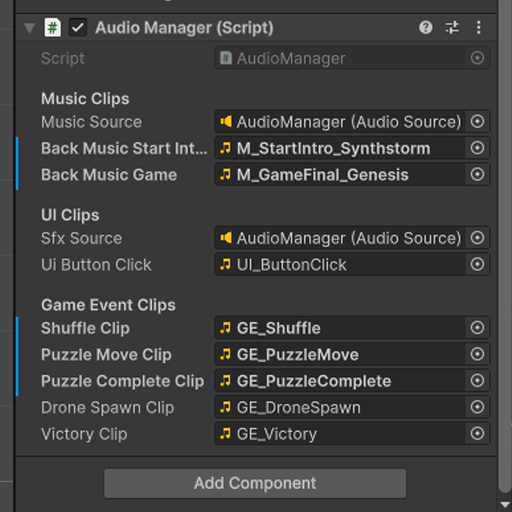
Global audio system implementation was completed. A centralized AudioManager was established using the Singleton pattern with cross-scene persistence (DontDestroyOnLoad).

All SFX were mapped to specific triggers: UI button clicks, tile shuffles, part assembly, drone spawns, and victory triggers. Effect volumes were balanced, and smooth music crossfades were configured. The Victory scene was dramatized by layering an extended explosion sound that smoothly fades into the final audio track.

Sound isn't mere decoration; it drives gameplay rhythm and emotional weight.

Battles for the Save System

Integrating the save system near the tail end of development brought significant architectural friction. The first two iterations (naive JSON serialization and fragmented data management across subsystems) proved unreliable: onboarding broken, code complexity ballooned, and the Continue button behaved unpredictably. The resolution involved rolling back to a clean build and consolidating state control under a unified GameManager (SaveGame(), LoadGame(), DeleteSave()).

A edge-case bug caused by GameManager missing in the start scene was bypassed via direct file deletion (File.Delete()). Three clean progress reset pathways were established: within the pause menu, main menu, and post-game completion.

Build DRiot_v0.9.1 was locked as a stable pre-release candidate.

DevLog Screenshot

Google Play Release and Retrospective

The full development pipeline has been navigated: from early notebook sketches to Unity assembly and production on Google Play.

Release asset preparation was finalized, and Google Play Console's regulatory verification checks were cleared. To comply with 2024+ platform policy requirements, a mandatory 14-day closed beta sprint was completed with 22 testers recruited via Reddit on a Test-for-Test basis.

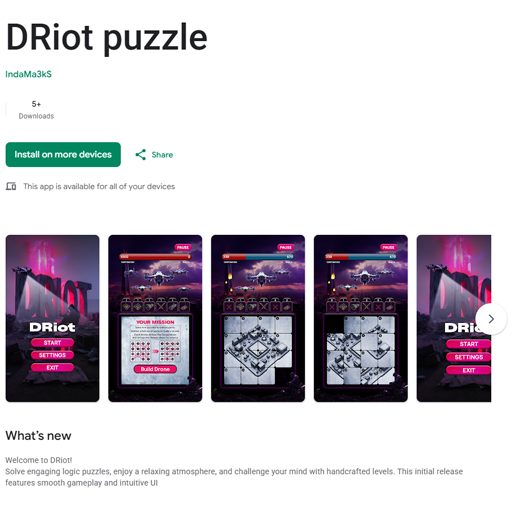
The project is officially published in the store, marking the first completed milestone in this solo development journey.

Screenshot view