


inNote Dev Log

Dev Log Chapter

Starting Point and MVVM Architecture

A decision was made to expand the engineering stack and master Windows desktop development as a second focus area following game development. The project was conceived as a lightweight alternative to default sticky notes, emphasizing aesthetics and a distraction-free UI.

An architectural foundation was established in C# 12 and .NET 8 using the MVVM pattern. The core NoteModel class was designed to describe note states, including coordinates, dimensions, color index, rotation angle, Z-layer, and visibility flags. The model implements INotifyPropertyChanged using the [CallerMemberName] attribute under a strict .NET 8 Nullable context, achieving zero compiler warnings. For disk operations, a static DataManager utility class was implemented to handle baseline JSON serialization of note lists.
DevLog Screenshot

Canvas Geometry, Borderless UI, and 3D Volume Mask

The custom visual layout was constructed, completely discarding default Windows borders and title bars (WindowStyle="None", AllowsTransparency="True"). To transform a standard window into a realistic paper sheet, a rectangular NoteCanvas was engineered with baseline dimensions of 283x283 px.

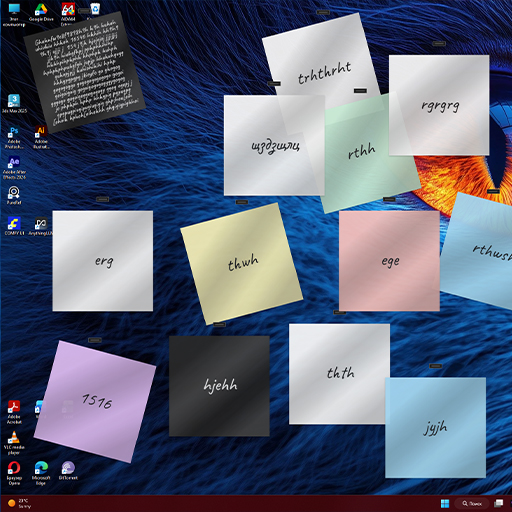
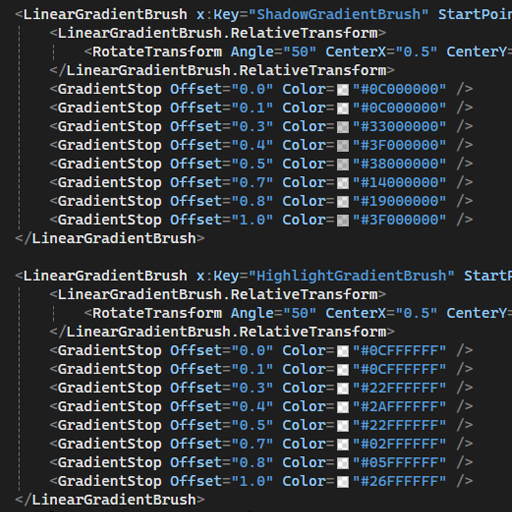
During initial layout testing, a clipping issue was identified: enabling diffuse DropShadowEffect caused the window bounds to crop the soft shadow edges. The outer MainWindow container was forcibly expanded to 360x360 px, creating the necessary breathing space. To replicate physical paper texture, a vector LinearGradientBrush mask was overlaid at a 50° angle with 8 color stops, producing a subtle cylindrical bend and light glare effect. A palette of 8 pastel colors was implemented using XAML DataTriggers, alongside a Dark Mode inversion where the black gradient automatically switches to a matte white highlight.

DevLog Screenshot

Bypassing Windows Input and Custom Right-Click Dragging

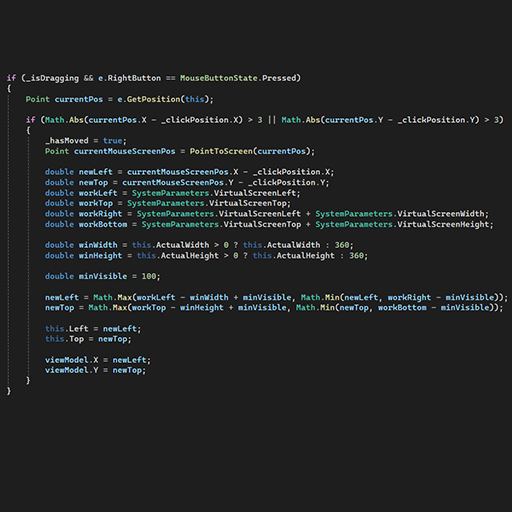
A core interaction mechanic was implemented—moving the window across the desktop using the right mouse button (RMB). During development, an architectural conflict emerged: the standard TextBox input layer completely absorbed right-clicks, while WPF's built-in this.DragMove() method is hardware-bound exclusively to the left mouse button.

The event swallowing issue was resolved by subscribing to tunneling events: PreviewMouseRightButtonDown, PreviewMouseMove, and PreviewMouseRightButtonUp. This intercepted input signals before they bubbled down into the TextBox. A custom coordinate calculation algorithm was written: PointToScreen() evaluates absolute cursor coordinates, subtracts the initial click offset, and dynamically updates the window's Left and Top properties. Input capturing via CaptureMouse() prevents cursor drift during rapid movements, while a 3-pixel deadzone threshold distinguishes dragging from context menu clicks.

Embedded Typography and Text Auto-Scaling

Work on the text layer was finalized by integrating the custom handwritten font Caveat (Caveat-Regular.ttf) directly into the binary assembly as an embedded resource. This guarantees identical rendering across any host machine without requiring OS font installation.

Addressing WPF's default typography engine revealed excessive line spacing issues with handwritten glyphs. By switching to LineStackingStrategy.BlockLineHeight, systemic WPF spacing constraints were bypassed, locking line heights to an optimal 0.88 multiplier of the font size. A reactive auto-scaling algorithm was implemented, smoothly scaling font size down from 50 px to 20 px as text volume increases. To prevent overflow beyond the physical paper bounds (ExtentHeight > 253 px), a hard limit trigger interrupts both keyboard entry and clipboard pastes, performing safe state rollbacks while preserving caret position.

DevLog Screenshot

Trigonometric Rotation and Space Isolation

A custom note rotation feature was developed to allow subtle desktop tilting. To eliminate visual jitter when dragging, angle calculations were shifted from the dynamic coordinates of the rotating canvas to the static coordinate space of the root window.

Vector delta calculations utilize Math.Atan2 relative to the stationary window center (180, 180). A discrete snapping mechanism locks angles in 5° increments via mathematical rounding (Math.Round(angle / 5.0) * 5.0). The final rotation value is strictly constrained between -15° and +15° and bound to the data model. To prevent accidental rotation triggers during text editing, interaction zones were split: clicking within 35 px of any corner activates rotation mode with a custom rotate_cursor.cur, while central clicks manage typing and dragging.

Global NoteManager Orchestrator and Smart Debounce

Core window management logic was completed with the creation of NoteManager, a global orchestrator built on the Singleton pattern. The manager retains an in-memory ObservableCollection, tracks active MainWindow instances, manages window Z-indexing, and binds UI layers to models through DataContext assignment.

Executing disk writes on every single keystroke created unnecessary storage overhead and file I/O queues. To resolve this, a smart auto-save mechanism (Debounce) was built using DispatcherTimer. The timer waits for 500 milliseconds of user inactivity (after typing, dragging, re-coloring, or rotating) before committing a single batched JSON state write to disk.

Background Launch and Hybrid System Tray Manager

The application was restructured to operate as a silent, background utility. Removing StartupUri from App.xaml and switching the shutdown mode to ShutdownMode.OnExplicitShutdown enabled a headless startup sequence without spawning phantom windows.

To manage application states, a hybrid TrayManager service was engineered. Bypassing the outdated visual styling of WinForms NotifyIcon, the tray context menu was generated programmatically in pure WPF, referencing shared resource dictionaries. To fix menu dismissal issues when clicking outside the tray bounds, a hidden 0x0 px helper window was integrated to pull OS window focus to the WPF thread prior to menu rendering.

Global Win32 API Hotkeys and Registry Integration

A global hotkey feature was implemented to spawn notes instantly from anywhere within the operating system. A dedicated HotKeyManager class was designed using low-level Win32 API P/Invoke imports from user32.dll, registering Ctrl+Alt+N directly against window handles. To prevent startup crashes, registration binds to the SourceInitialized event, ensuring a valid window Handle is allocated by Windows first.

Concurrently, StartupManager was created to manage system startup integration. It interfaces directly with the Windows Registry (HKCU\SOFTWARE\Microsoft\Windows\CurrentVersion\Run). The module writes clean process paths and syncs toggle states cleanly with configuration options stored in appConfig.json.

DevLog Screenshot

Dynamic i18n Localization Engine and Feature Refactoring

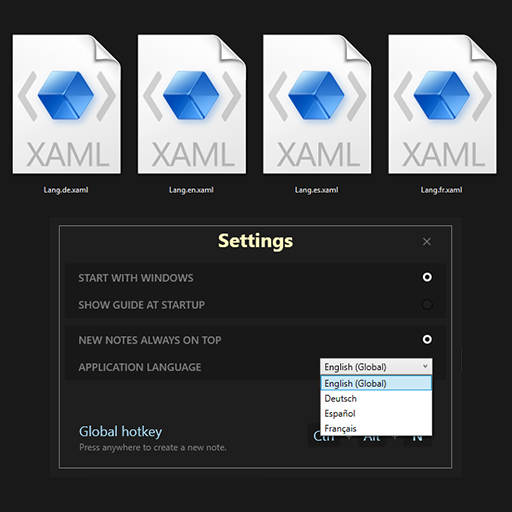
A dynamic internationalization (i18n) architecture was developed, supporting English, Spanish, German, and French. Hardcoded XAML strings were extracted into isolated resource dictionaries (Lang.*.xaml). LanguageManager was built to auto-detect system language (CultureInfo.CurrentUICulture) and hot-swap merged dictionaries at runtime without restarting the application.

Feature scope was also refactored: the text strike-through (checklist) feature was officially cut. Standard TextBox lacked partial line formatting support, while upgrading to RichTextBox bloated JSON payloads and conflicted with font auto-scaling routines. The decision was made to preserve clean architecture and lightweight performance.

DevLog Screenshot

Multi-Monitor Rescue Mechanism and Atomic Persistence

Comprehensive alpha testing was conducted on a dual-monitor workstation. Coordinate boundaries were updated to SystemParameters.VirtualScreen. A "Lost Window Syndrome" edge-case was resolved: when a secondary monitor was disconnected, notes remained stranded in off-screen space. A rescue mechanism was written to detect out-of-bounds coordinates and automatically teleport orphaned notes to the center of the primary display.

To safeguard data against abrupt power loss or crashes, a three-tier Data Resilience system was integrated into DataManager:

Atomic Writes: Saves target a temporary .tmp file before instantly swapping with the active file.

Auto-Recovery: A .bak backup file is generated upon every successful write cycle.

Quarantine: If primary files corrupt, data recovers seamlessly from backup while the damaged file is isolated into a .corrupted log for manual inspection.

Standalone Installer, MSIX Packaging, and Update Engine

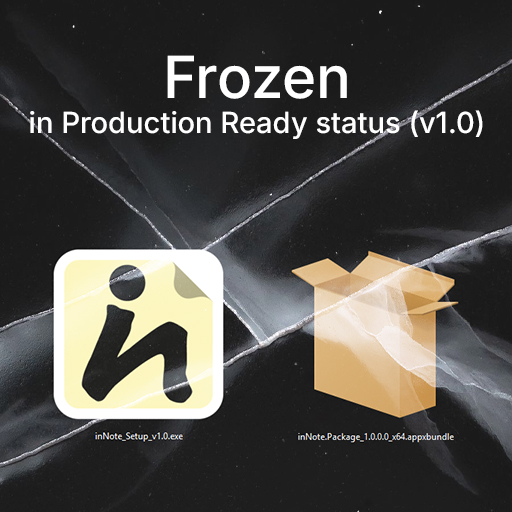
The product reached full distribution readiness. A standalone inNote_Setup_v1.0.exe installer was compiled via Inno Setup using LZMA2 compression, reducing a ~162 MB footprint into a compact 48.6 MB executable. Concurrently, an x64 native MSIX package (.appxupload) was generated via Windows Application Packaging Project for Microsoft Store deployment.

An asynchronous background update service (UpdateService) was developed. The engine queries a public GitHub configuration file via non-blocking HttpClient calls with a strict 3-second timeout. Custom notification UI was created, and an IsStoreVersion toggle was added: when set to true, the internal update engine is completely disabled for Microsoft Store builds, letting the OS manage updates natively.

DevLog Screenshot

Storefront Merchant Obstacles and Release Pause

The commercial distribution phase encountered insurmountable infrastructure and financial platform roadblocks for individual developers. During Microsoft Partner Center setup, merchant payout onboarding stalled indefinitely due to mandatory corporate account requirements (Entra ID) and business registration verification, freezing individual profile submissions.

Attempts to deploy standalone sales via Gumroad and Lemon Squeezy reached similar dead ends: Stripe Connect integrations disabled direct payouts for the region, while alternative payout methods remained blocked for individual accounts lacking US business registration.

The product was frozen at Production Ready status (v1.0). The compiled installers, marketing assets, and codebase were archived locally. Confronting these distribution barriers highlighted the necessity of building an independent web platform, providing the direct catalyst for transitioning into web development.

Screenshot view