


inHub Dev Log

Dev Log Chapter
DevLog Screenshot

Pre-production, UI-Driven Approach, and the Birth of inHub

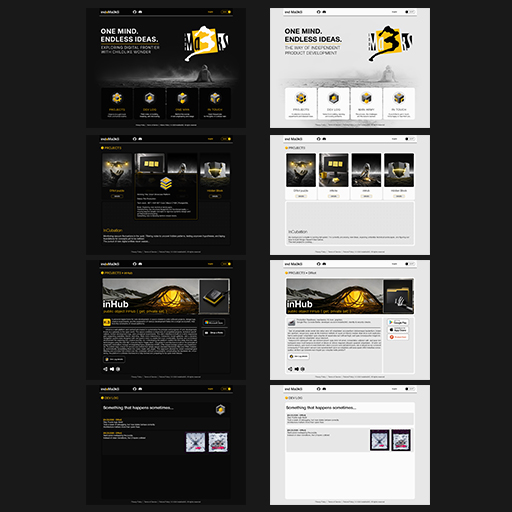
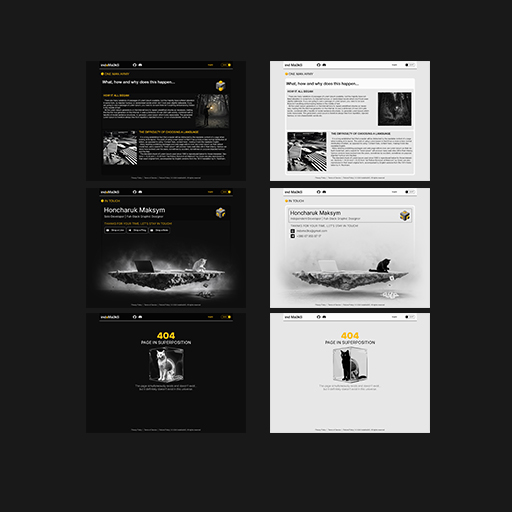
Development of a personal web platform began, intended to become the central hub for all software projects. During the pre-production phase, the Project Vision was formed with the philosophy "One Mind. Endless Ideas." A UI-driven approach was chosen: designing the technical architecture was consciously postponed until the visual concepts were fully understood. Mockups for the Home page were created in light and dark themes, and the core navigation logic with an intermediate project hub was mapped out. During the design process, the platform received the official name inHub and was classified as a fully independent product, acting as the primary testing ground for mastering the web technology stack.
Database-Free Architecture and the Choice of Markdown

A detailed analysis of the future site's operational logic was conducted, and the content architecture was approved. A strategic decision was made to abandon heavy databases in favor of a Stateless concept based on ASP.NET Core (Razor Pages). For content sections (Dev Log, One Man Army), a publication system via a .md document file repository was introduced. The engine is planned to parse the YAML Front Matter metadata block to extract dates and tags, dynamically wrapping the text into the approved design code. Separated routing logic was also established: the Dev Log feed will be built using a LIFO principle (newest posts on top), while the author's history will follow a FIFO principle (chronological reading).

DevLog Screenshot
DevLog Screenshot

Master Template, SVG Graphics, and Seamless Themes

The Production phase has begun. The base ASP.NET Core project was deployed, and the _Layout master template was created. The key interface feature became the mechanics of dynamically switching between Dark and Light themes via CSS Variables without reloading the page. To support this system, all text indicators and raster icons were replaced with Inline SVG graphics. Using the fill="currentColor" property ensured automatic icon recoloring when switching themes. A Hot Reload environment was configured, and the core typography was built around the Inter font family, incorporating thin weights.

Home Page Layout and CSS Masking

The Hero Section was laid out using Flexbox. During the process, an issue with incorrect background image scaling on ultrawide monitors was identified. The solution involved hard-locking the background size (1440x1080) pinned to the center and implementing a combined CSS mask with the calc() function to smoothly dissolve the image borders into the base color. To protect the desktop layout from deformation, a width lock (min-width: 1200px) was applied, activating a horizontal scroll. Micro-interactions were added to the navigation cards: an outer glow and a custom @keyframes icon-pop CSS animation for icon hover feedback.

DevLog Screenshot
DevLog Screenshot

Projects Grid and Particle Physics on HTML5 Canvas

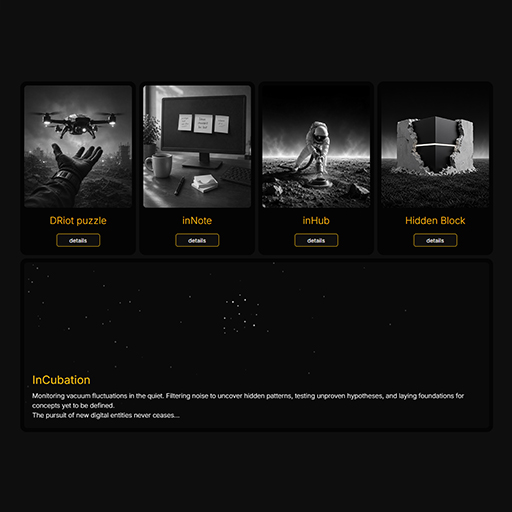
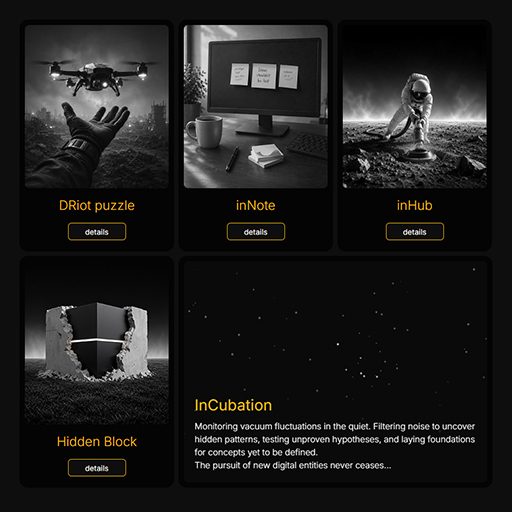
The Projects page was developed. The layout approach was architecturally modified: the InCubation block was moved inside the main Flex container, turning into a "fluid" closing module (flex-grow) that automatically fills the space without a single media query. Inside this block, a background particle system based on HTML5 Canvas was deployed. "Vacuum breathing" was programmed: Brownian motion of dots with a timer that periodically assembles static isometric cube structures out of the chaos. For the project cards, a layered poster overlay was implemented, where the colored layer smoothly appears via CSS transitions on hover.

Implementing Multilingual Support and Eliminating Hardcode

The interface localization system was designed and implemented. A complete elimination of hardcoded text was achieved: UI elements were moved to centralized JSON dictionaries. To process them, a LocalizationService was written and injected into the Razor Pages. A mechanism for seamless language switching was implemented via a global middleware interceptor in Program.cs. The selected language is saved in the session, and the switch happens transparently, preserving the current page without complex server-side routing. Dynamic content rendering was configured to correctly pass HTML tags from the JSON database to modal windows.

DevLog Screenshot
DevLog Screenshot

Standardization of project pages has begun. The initial idea of a horizontal carousel for the media gallery failed testing: mixing 16:9, 9:16 formats, and videos broke the composition, and UI compression rendered screenshots unreadable. The concept was completely overhauled in favor of a "Category Grid + Native Lightbox" system. The close-up viewer is built on the HTML <dialog> element utilizing the browser's Top Layer API mechanism. This freed the architecture from CSS layer conflicts (z-index) and ensured proper modal overlay above the rest of the content. A JS module was written for looped keyboard navigation.

DevLog Screenshot
DevLog Screenshot

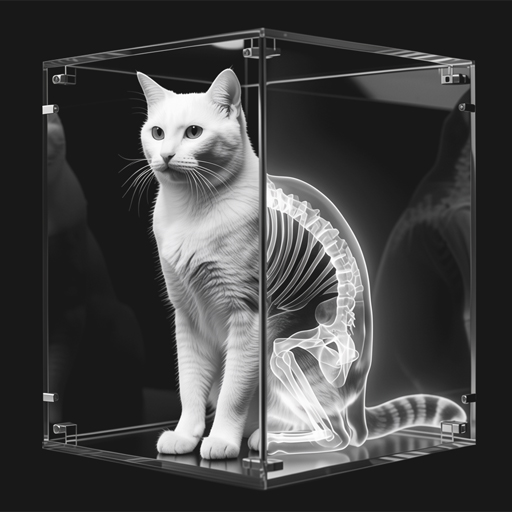
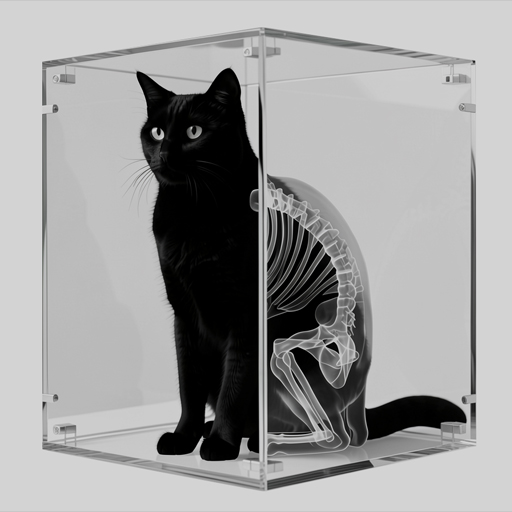
The reorganization of the Breadcrumbs system was completed. The logic for forming them was moved to the global _Layout level, completely eliminating HTML code duplication and styling desynchronization. Concurrently, a custom module for handling server exceptions (404/500) was developed. Through the UseStatusCodePagesWithReExecute middleware, requests are redirected to a unified Error page without changing the URL. Multi-status localization and a dynamic illustration of Schrödinger's Cat were introduced, changing depending on the active site theme.

Custom Markdown Engine and Bilingual Architecture

The architecture for the dynamic C# engine for publishing posts was implemented. The Markdig and YamlDotNet libraries were integrated to automatically read metadata (dates, titles, screenshot arrays) from the YAML headers of .md files. Within the MarkdownService, a mechanism was configured to parse bilingual sections directly in the document body via HTML comments (<!--en--> and <!--ru-->), pulling the current language from the session. For the One Man Army section, a "newspaper" Z-layout based on floats with alternating art was developed, and for the Dev Log, an isolated, lightweight screenshot viewer (Lightbox) was created.

Contextual Filtering and Chronology Shifting

The layout of product pages using the standardized template was completed. Performance optimization was conducted: heavy CSS background masks were replaced with pre-processed images (background-image). A product-centric idea for contextual navigation was introduced: now, from a project's page, users can transition into its development log with one click. To achieve this, log filtering by URL parameter was configured in the MarkdownService, where the post order automatically switches to chronological (\(1 \rightarrow 2 \rightarrow 3\)). This allows reading the product's creation history as a sequential narrative, while preserving architectural purity (KISS) without complicating the main layout.

DevLog Screenshot

Production Deployment: Docker, Cloudflare, and Server Hardening

Phase 3 is completed: inHub is successfully deployed to production and live at indama3ks.com. A multi-stage Dockerfile was configured (.NET 8 SDK -> Runtime) with fixed Markdown content copying. Infrastructure routing and SSL termination are delegated to Cloudflare, directing traffic straight to the container's port. Server security was hardened by disabling SSH password authentication (PasswordAuthentication no) in favor of cryptographic keys. Additionally, a nightly cron script was introduced for .tar.gz backups with a 7-day retention policy, and Google Search Console indexing was configured. The project is fully online, secured, and backed up.

Screenshot view